Episodes
Gorilla Whoop Whoop, Episode 2: I Thought Antennas Were Just Fancy Sticks
Previously, on Gorilla Whoop Whoop
The drone flies. Mostly. The video, however, looked like it was being broadcast from a submarine. So I decided to upgrade the antennas.
I assumed this would take ten minutes. An antenna is a fancy stick. You buy a fancier stick.
It is not just a fancy stick. It's a polarized, gain-rated, frequency-tuned stick with a connector that looks identical to three other connectors that don't fit. This episode is everything I learned about the wireless side of FPV, related back to my actual gear: a BetaFPV Air75, a RadioMaster Pocket, and Eachine EV800D goggles.
Two radios, two jobs
The first surprise: an FPV drone isn't one radio link. It's two, completely separate, that never talk to each other.
| Link | Frequency | Job | My gear |
|---|---|---|---|
| Control | 2.4 GHz | My sticks to the drone, battery and signal info back | Pocket's ExpressLRS module to the Air75's built-in receiver |
| Video | 5.8 GHz | The camera feed to my face | Air75's video transmitter to the EV800D goggles |
This matters because an antenna is built for one frequency. Goggle antennas improve video and do absolutely nothing for control. I briefly hoped they'd fix both. They will not.
It also explained my apartment problem. 2.4 GHz waves are about 12.5 cm long and slip around obstacles reasonably well. 5.8 GHz waves are about 5 cm long and give up the moment they meet concrete. My building is concrete with steel inside. So the video always died first, while the drone kept happily obeying commands I could no longer see the results of.
The alphabet soup
FPV people speak almost entirely in acronyms. Here's the translation, with where each one lives on my setup:
| Acronym | Means | On my gear |
|---|---|---|
| TX | Transmitter | The radio in my hands, the Pocket |
| RX | Receiver | The ExpressLRS receiver built into the Air75 |
| VTX | Video transmitter | Also built into the Air75. Sends the camera feed |
| VRX | Video receiver | Inside the goggles. The EV800D has two |
| ELRS | ExpressLRS | The open-source control link system on 2.4 GHz |
| CRSF | The language the RX speaks to the flight controller | Why Betaflight's receiver is set to "CRSF" |
| SmartAudio | Lets Betaflight change the VTX's channel and power | Why UART2 is set to SmartAudio |
| RSSI | How loud the signal is | Shown on my OSD in dBm |
| LQ | Link quality: the % of control packets arriving | The number to actually watch. 100% is perfect |
One nice discovery: ExpressLRS doesn't sit on one frequency. It hops around the 2.4 GHz band many times a second. If a frequency is noisy, it's only there for a moment. That's why my neighbors' 2.4 GHz Wi-Fi never bothered the control link, even while their 5 GHz Wi-Fi was eating my video alive.
Channels, Wi-Fi and the concrete
Analog video splits the 5.8 GHz band into channels, grouped into bands with names like Boscam A, Fatshark and Raceband. Raceband is the standard because its eight channels are spread far apart, so several pilots can fly at once.
The drone and goggles just need to be on the same channel. The trick is picking one nobody else is using. This took some trial and error, but eventually I found a reliable band and channel for the chaos all around me.
How to find a clean channel: turn the drone off, step the goggles through the channels, and look at the static. Even snow means nothing's there. Lines, bars or a ghost picture mean someone's home.
Power and decibels: more watts is not the answer
My first instinct was to turn the video power all the way up. The Air75's VTX goes from 25 to 400 mW, set in Betaflight as levels 1 to 4.
Then I learned about decibels. Radio power is measured on a log scale, where +3 dB is double the power and, in open air, +6 dB roughly doubles the range. That makes the math humbling:
| Change | Power | Range |
|---|---|---|
| 25 → 100 mW | 4× | About 2× |
| 100 → 200 mW | 2× | About 1.4×, plus a lot of heat |
| 100 → 400 mW | 4× | About 2×, plus a whoop that doubles as a hand warmer |
Every doubling of range costs four times the power. Concrete doesn't care either way. So I left it at 100 mW and went looking for better antennas, which turned out to be the real lever.
One Betaflight setting to know: vtx_low_power_disarm keeps the VTX at 25 mW until you arm. If the picture looks weak on the bench, that's why. It isn't broken. It's being polite.
Clockwise vs counter-clockwise
This is the part that sounds made up. Radio waves have a twist.
A straight wire antenna sends out a linear wave: it wiggles in one flat plane. That's what the Air75 shipped with. The problem is that a drone flips and rolls. When the drone's antenna ends up sideways relative to the goggles' antenna, the signal fades.
The fix is circular polarization: antennas shaped so the wave spins like a corkscrew as it travels.
- RHCP: Right-Hand Circular Polarization. Spins clockwise.
- LHCP: Left-Hand Circular Polarization. Spins counter-clockwise.
A circular signal doesn't care much which way up the drone is. Better still, a reflection off a wall flips the spin direction, so the antenna partly ignores the bounced copies that cause ghosting. In a concrete building that is basically a house of mirrors, that's a big deal.
The rules are simple and unforgiving:
| Drone | Goggles | Result |
|---|---|---|
| RHCP | RHCP | Best |
| LHCP | LHCP | Best |
| RHCP | LHCP | Terrible. Most of the signal is lost |
| Linear | Either circular | Works, about 3 dB lost (roughly 30% less range) |
So all along, my linear drone antenna and circular goggle antennas had been quietly costing me about 3 dB. The fix: go circular on both ends, and pick one hand. RHCP is the hobby default, so RHCP it is.
To keep things confusing, the motors also come in clockwise and counter-clockwise, and so do the props. That's a different topic entirely. The Air75 spins its props "props out," which is why Betaflight needed yaw_motors_reversed = ON back in Episode 1. Nothing in this hobby can just go one way.
Gain, diversity, and the connector trap
Gain: where the signal goes
An antenna doesn't make power. It aims it. Gain, in dBi, says how focused it is.
- Omni antennas (lollipops, cloverleafs, pagodas) send and receive in a donut all around. About 2 to 3 dBi. Like a bare light bulb.
- Patch antennas are flat squares that look forward in a cone. About 8 to 9 dBi. Like a flashlight: brighter, but only where you point it.
High gain isn't automatically better. A patch is worse than an omni when the drone is beside or behind you.
Diversity: why the goggles have two antenna jacks
The EV800D has two complete video receivers, one per antenna, and shows whichever picture is better at each moment. That's true diversity. It's automatic. I spent a while hunting through the menu for a diversity setting before learning it doesn't exist because it's always on. It also doesn't matter which antenna goes on which jack.
The classic pairing is one omni plus one patch. The omni covers everything close and around you. The patch reaches out in front.
The connector trap
This is where people waste money. Goggle antennas screw on with SMA or RP-SMA connectors. They look the same and are not interchangeable:
| Connector | Antenna end | Goggle jack |
|---|---|---|
| SMA | Center pin | Hole |
| RP-SMA | Hole | Center pin |
One side needs a pin and the other a hole. Hole-to-hole screws on perfectly and passes almost no signal. It is the antenna equivalent of a phone call with the microphone unplugged. Newer EV800Ds switched from RP-SMA to SMA, so you have to look into the jack.
On the drone side, whoops use tiny snap-on connectors. The Air75's video antenna uses U.FL, which is rated for only about 30 connect/disconnect cycles. Plug it in once, firmly and straight, and leave it alone.
What I picked
The plan: go RHCP on both ends, put an omni and a patch on the goggles, and keep the drone side light.
| Where | Antenna | Type | Gain | Polarization | Connector |
|---|---|---|---|---|---|
| Air75 video transmitter | Foxeer Lollipop Super Mini | Omni | 2.3 dBi | RHCP | U.FL |
| EV800D, jack 1 | Foxeer Lollipop 4 Plus | Omni | 2.6 dBi | RHCP | RP-SMA |
| EV800D, jack 2 | RCmall Triple Feed Patch | Patch | 9.4 dBi | RHCP port used | SMA |
Why this setup:
- The whole link is RHCP now. That wins back the ~3 dB I'd been losing to the linear stock antenna, without touching the power setting.
- The drone antenna is a plug-in swap. Same U.FL connector as stock, so no soldering. I'm aiming for the 65 mm version, because on a 21-gram drone every gram costs flight time and every extra millimeter is something new to snap in a crash.
- Omni plus patch covers both cases. The Lollipop handles the drone flying around me, which is most of whoop flying. The patch reaches about twice as far, but only in the direction I'm facing. The goggles pick between them automatically.
- The patch has two ports: one RHCP, one LHCP. I use the RHCP one and screw the included 50 Ω terminator cap onto the LHCP one. Use the wrong port and you get the "terrible" row from the table above.
- The 4 Plus came as a two-pack. The second one becomes a spare, which, given my track record, is the most realistic purchase in this whole post.
Damage update: we lost a motor
While I was busy learning which way radio waves spin, the drone was quietly reporting its own news. One of the motors has been knocked out of place.
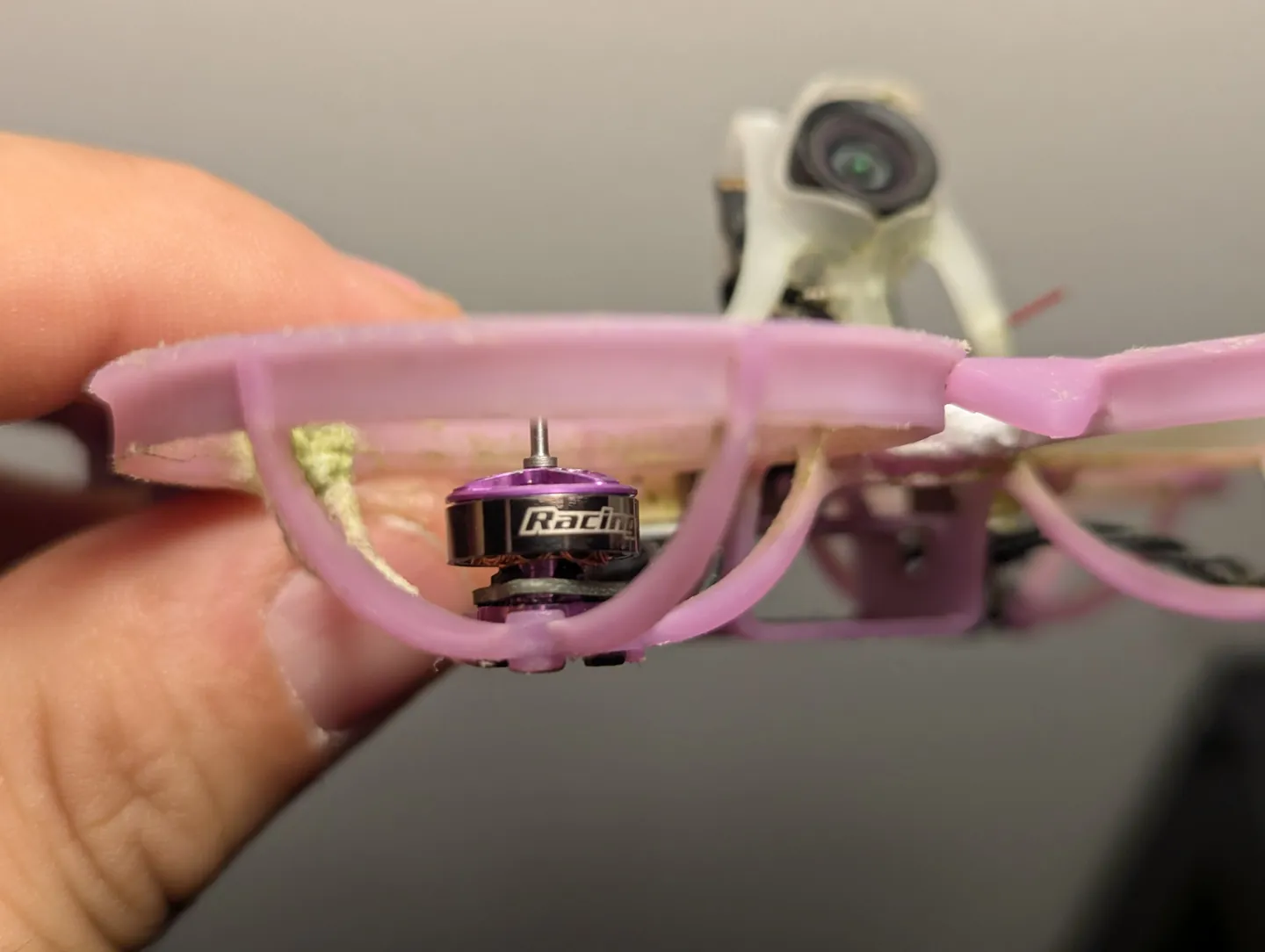
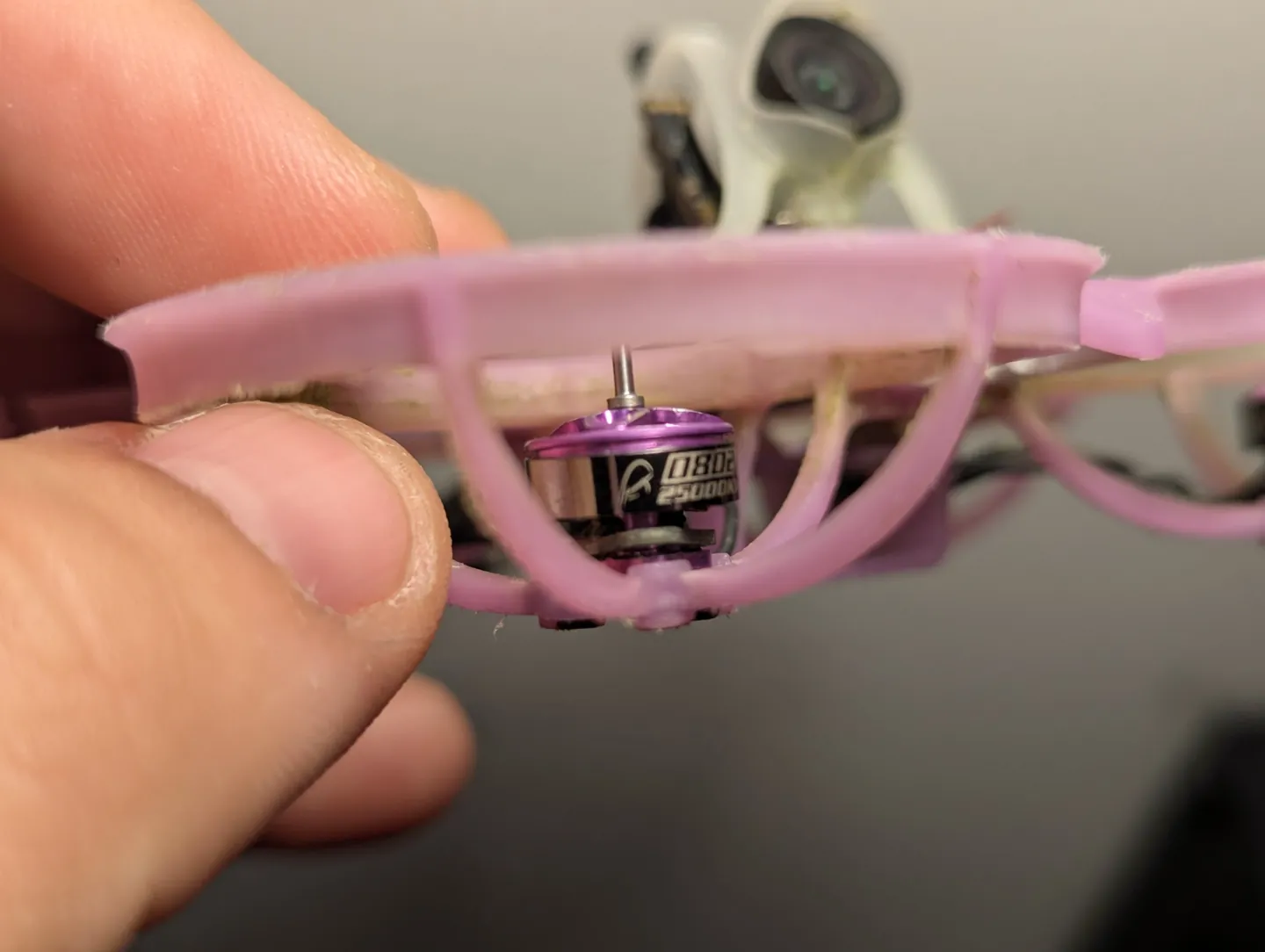
So the shopping list is now a new frame, fresh props, one 0802 25000KV motor, and three antennas. At this point I'm less rebuilding a drone than slowly replacing it, one part at a time.
Next time
The rebuild. New frame, new motor, new antennas, and a drone that, for the first time since that first flight, might be held together by screws instead of glue and optimism.
Will the new antennas fix the video? Will the replacement motor spin the right way the first time? Will I finally fly a full battery without visiting the ceiling?
Find out next time, on Gorilla Whoop Whoop.